

You received a CVE number. What to check in the first five minutes
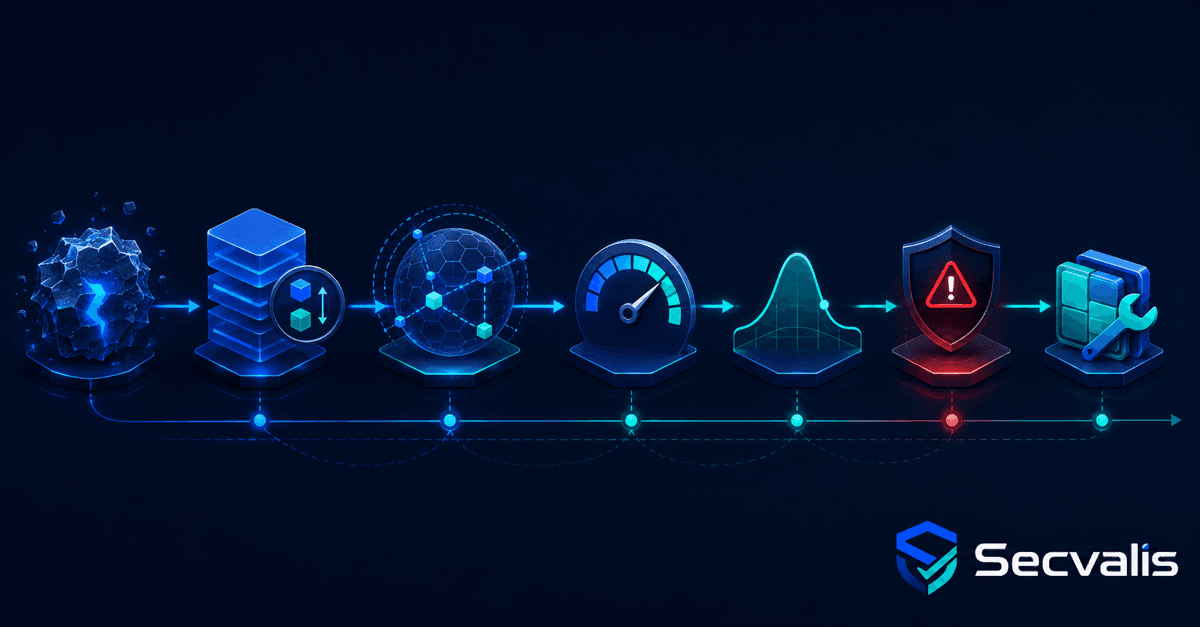
The phone can ring at 7:30. Someone has read about a new vulnerability and asks: "Do we have this?" The message contains a CVE number, perhaps a CVSS score, and little else. The administrator is expected to answer even though the number alone does not say whether a particular system is affected or how urgently anyone needs to act.
I have been through this scenario many times. Finding information is not the hardest part. Most of the time goes into separating facts from alarming headlines and combining several signals into one decision. That is why I use a fixed order of checks.
1. Establish what is actually affected
A useful description should answer four basic questions:
- which product or component is vulnerable,
- which versions are affected,
- what access the attacker requires,
- what a successful attack can achieve.
"Remote code execution" sounds serious, but you still need to know whether it requires authentication, a particular configuration or exposure to the internet. A local privilege escalation may be critical on a shared system and less urgent on an isolated appliance with tightly controlled access.
The Secvalis CVE page contains a concise summary, risk assessment and recommendation. The original NVD description remains available below, so the structured explanation speeds up triage without separating you from the source.
2. CVSS describes severity, not your work queue
CVSS describes the technical severity of a vulnerability using a standardised scale. It is a useful reference point, but it does not answer: "Is anyone exploiting this vulnerability against real systems now?"
A high CVSS score does not automatically make a vulnerability the most urgent item in your environment. A low score does not guarantee safety either. The base score does not know the importance of your server, its exposure, compensating controls or current attacker activity.
I treat CVSS as an answer to "how serious could the impact be", not as a complete remediation queue.
3. EPSS estimates exploitation probability
EPSS is a model estimating the probability that a CVE will be exploited in the next 30 days. Secvalis displays both the score and percentile. The distinction matters: the score is the estimated probability, while the percentile shows where the vulnerability sits relative to other CVEs scored by the model.
EPSS is a predictive signal, not a verdict. A high score helps identify vulnerabilities worth investigating earlier. A low score does not prove exploitation is impossible, particularly for targeted attacks or a new vulnerability with little available data.
4. KEV changes the conversation from "could" to "has"
CISA maintains the Known Exploited Vulnerabilities catalogue. It contains vulnerabilities for which there is reliable evidence of exploitation in the wild. When a CVE is marked as KEV, the discussion is no longer limited to theoretical possibility.
The Secvalis CVE page highlights these entries and shows the KEV addition date, product, required action and CISA due date when available. The "Actively exploited" filter moves directly from the full catalogue to vulnerabilities with confirmed exploitation.
KEV is not a complete list of every vulnerability used in attacks. It is reactive: exploitation must first be observed and confirmed. It therefore complements rather than replaces CVSS, EPSS and analysis of your own environment.
5. Finish with remediation and the vendor advisory
A recommendation should lead to action: install an update, apply a workaround, reduce exposure or add monitoring. I also check the vendor advisory. The vendor is best placed to describe affected versions, fixes, backports and conditions under which the vulnerability is not present.
Linux distribution package versions are a common trap. A security fix may be backported into an older package without adopting the upstream version number shown in a generic advisory. Comparing two version strings alone can therefore produce a false alarm.
Five minutes provides a priority, not a final verdict
After this review, you should know:
- what the CVE affects,
- what impact it may have,
- whether exploitation is predicted or confirmed,
- what the sources recommend,
- what must be checked in your own infrastructure.
It still does not automatically answer "do we have this?". That requires an inventory of packages, versions and machines. A catalogue organises information about the vulnerability. Matching it to the actual state of hosts turns knowledge into an administrator's task.
To check a specific identifier or review vulnerabilities with confirmed exploitation, open the Secvalis CVE catalogue.
This is part 1 of a series about CVEs in day-to-day system administration. Part 2 explains how to check fleet exposure, while part 3 shows why scan history matters.
Sources
Weekly CVE digest
One email a week with newly published vulnerabilities worth knowing about. No account needed.
This digest covers new vulnerabilities in general, not your servers. If you want to know which of them actually run in your infrastructure, that is what Secvalis does: it scans your machines and reports only what concerns them.